
Who are you buying for this year?
Organise Secret Santa online with your favourite people
Draw names online with bitte.kaufen and share your wish list with the person buying your gift. You can organize your Secret Santa together, even when you live far apart.
Start your Secret Santa- Free and ad-free
- An account to organize, no account needed to join
- Works in your browser, no app to download

Leave the paper slips in the drawer
How Secret Santa works on bitte.kaufen
One person creates the group and invites everyone else to join. Once at least three people have accepted and everyone you want to include is there, you can draw names.
1
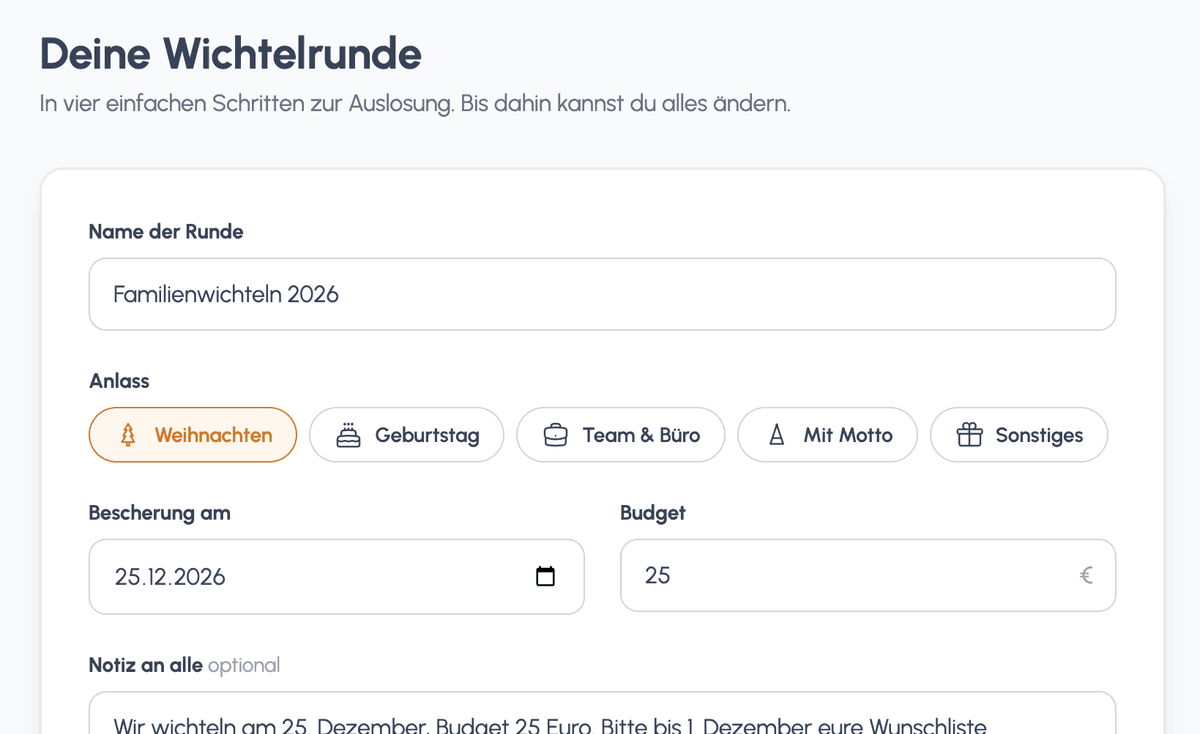
Create your group
Name your group, set the gift date and agree on a budget. Choose whether to use wish lists or keep the gifts a surprise.
2
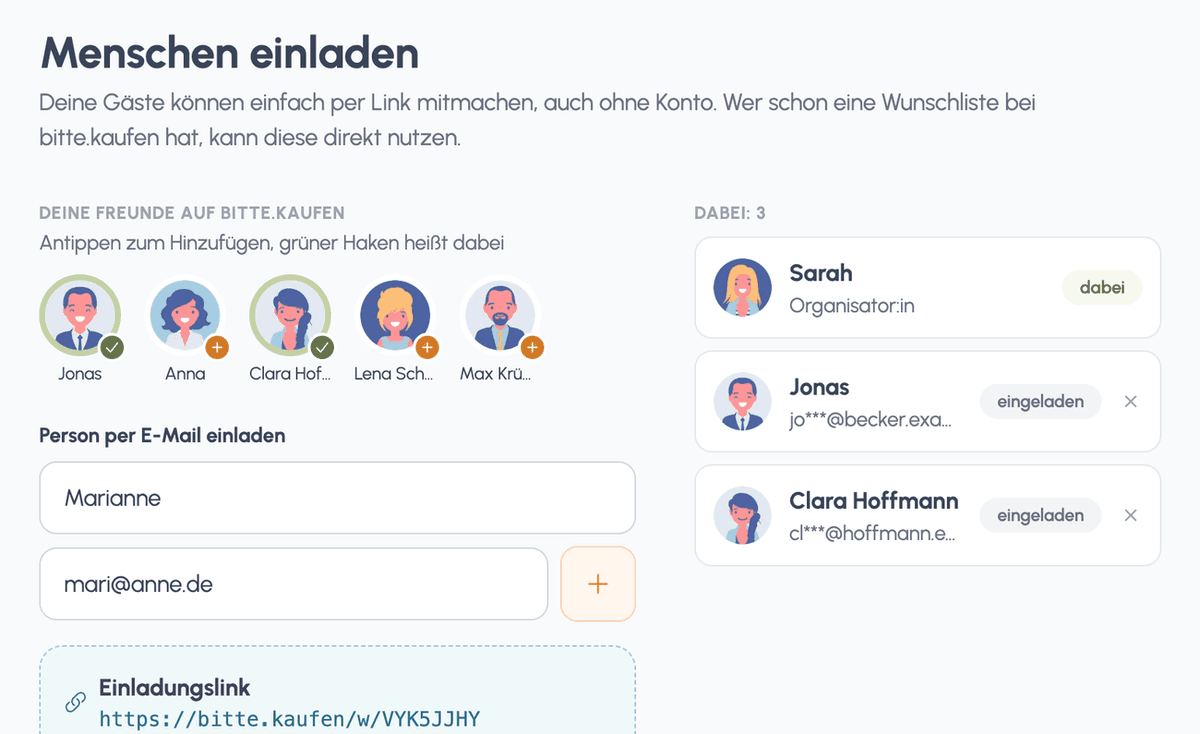
Invite your Secret Santa group
Invite your guests by email or share the invitation link by text message or messenger. Guests can accept without an account. Your group overview shows who has joined and who still needs a reminder.
3
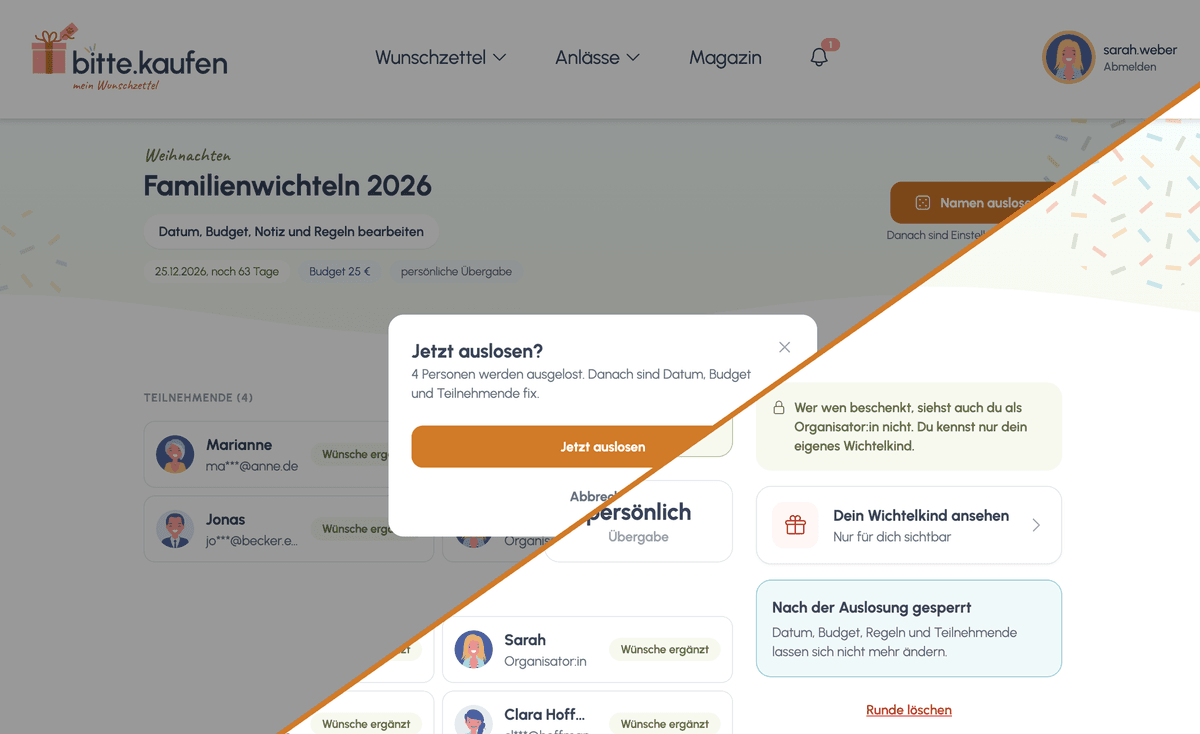
Draw names and reveal your person
Check that everyone who wants to join has accepted. Then draw names. Everyone receives an email and can visit the website to reveal who they are buying for.
Create my Secret Santa group
You need a free bitte.kaufen account to create a group. Your guests can join without one.
What’s on your wish list?
Use wish lists or keep the gifts a surprise
Sometimes you know exactly what to give. Sometimes a hint helps. With bitte.kaufen, you can use an existing wish list or create a new one for your group. Within the Secret Santa group, only the person assigned to buy your gift can see your wishes.
Prefer to choose the gifts yourselves? The organiser can turn wish lists off for the group. Everyone chooses a surprise within the agreed budget.
Choose how to exchange your gifts: meet up in person or send them by post. If you are posting presents, leave enough time for delivery.
Our tip: Add a few smaller wishes that fit your Secret Santa budget. That gives the person buying your gift something to choose from without spending more than agreed.

Before the gifts are opened
From the invitation to gift day
Plan the draw early enough for everyone to choose a gift afterwards. If you are exchanging gifts by post, allow time for delivery too.
When creating your group
Set the date and budget
As the organiser, you set the gift date and budget before inviting anyone. You also choose whether gifts will be exchanged in person or sent by post. Add any couples who should not draw each other during setup.
Before the draw
Check who has accepted
Check the group overview to see whether everyone who wants to join has accepted. If someone has not replied, you can send a reminder. Wait until your group is complete before drawing names.
After the draw
Reveal who you are buying for
Reveal your assigned person on the website. If your group uses wish lists, take a look at their wishes before choosing a gift.
On gift day
Exchange your presents
Time to open the presents. You can decide together whether to reveal who gave each gift afterwards.
What kind of Secret Santa will you choose?
Secret Santa ideas for your next gift exchange
Keep it traditional for Christmas or choose a theme for your group. Pick something everyone enjoys and can manage within the budget.
🎄
Family Secret Santa
- Organise the group even when you live far apart
- Use wish lists to find out what the other person would enjoy
- Add couple exclusions before the draw if needed
☕
Secret Santa at work
- Choose a budget everyone feels comfortable with
- Let people decide whether to take part
- Exchange gifts during a shared break or celebration
🎨
Give something homemade
- Make something with your assigned person in mind
- Agree whether materials count towards the budget
- Allow enough time to make your gift
💛
Secret Santa for €5 or €10
- Set a clear spending limit
- Add wishes that fit the budget
- Choose a small gift that reflects what the person likes
📚
A book exchange
- Mention favourite genres on your wish list
- Decide together whether second-hand books are welcome
- Include a personal note
🎁
Choose a gift theme
- Choose a theme everyone understands
- Put the agreed theme in your group note
- Choose funny gifts the recipient will actually enjoy
See who has joined
Keep track of your Secret Santa group
No need to search through a group chat to work out who is joining. Your Secret Santa overview shows who has accepted and lets you remind anyone still invited. The assignments stay private: even the organiser can only see their own assigned person.


Keep the surprise until gift day
Nobody draws their own name. The draw respects the couple exclusions you have set. Within the group, your wishes are only visible to the person buying your gift.
Questions before you start?
Secret Santa questions answered
In Secret Santa, each person is randomly assigned someone to buy a gift for. Everyone gives and receives a gift. Agree on a budget and a gift date beforehand, and keep the assignments secret.
Before you draw names
- Check that everyone who wants to join has accepted.
- Check your settings and couple exclusions. They are locked after the draw.
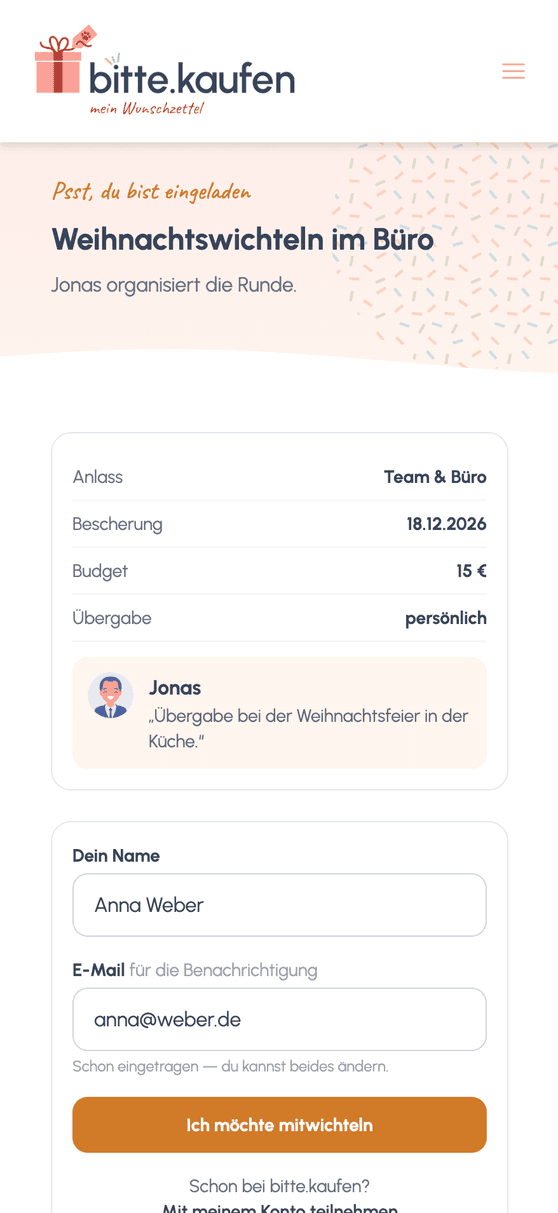
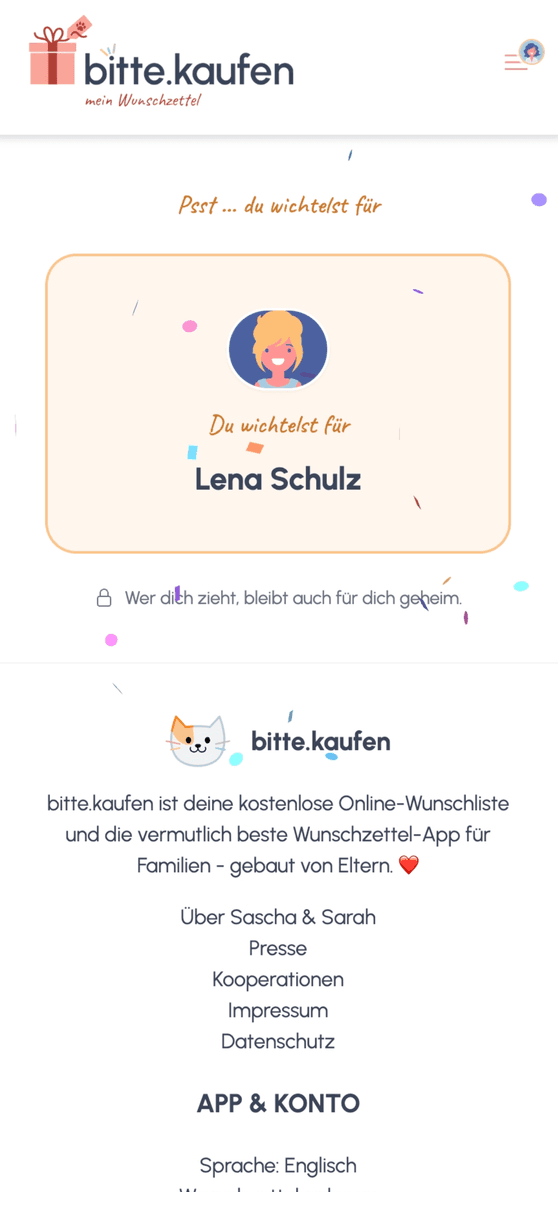
All you need is the link
Secret Santa without installing an app
Open bitte.kaufen in your browser to create your group. Your guests follow their invitation. They do not need a new password and can reveal their assigned person on the website.
Open the Secret Santa tool in your browser
Guests can join without an account
Share wishes with the person buying your gift

Why we wanted to organise Secret Santa online
“Some of our family live further away, so getting everyone together just to draw names rarely works. When someone is missing, there is more to sort out: Who is joining? Has everyone drawn a name? We wanted an easier way to organise it without all the messages back and forth.
That is why we added Secret Santa groups to bitte.kaufen, with email invitations and a clear view of who has accepted. We can organise the gift exchange together even when we cannot meet beforehand.”
Sarah Depold, co-founder of bitte.kaufen