
Keep your wishes with you
Your free wishlist app for iOS and Android
Save wishes on your phone with bitte.kaufen and keep your family’s and friends’ lists close at hand. The app is available for iPhone, iPad and Android.
Download the wishlist app- No banner ads or in-app purchases
- Multiple wish lists in one account
- Use the same account in your browser too

Open the app and save your wish
How to create your wish list in the app
Sign in to the app with your free bitte.kaufen account or create one. Then you can make your first list.
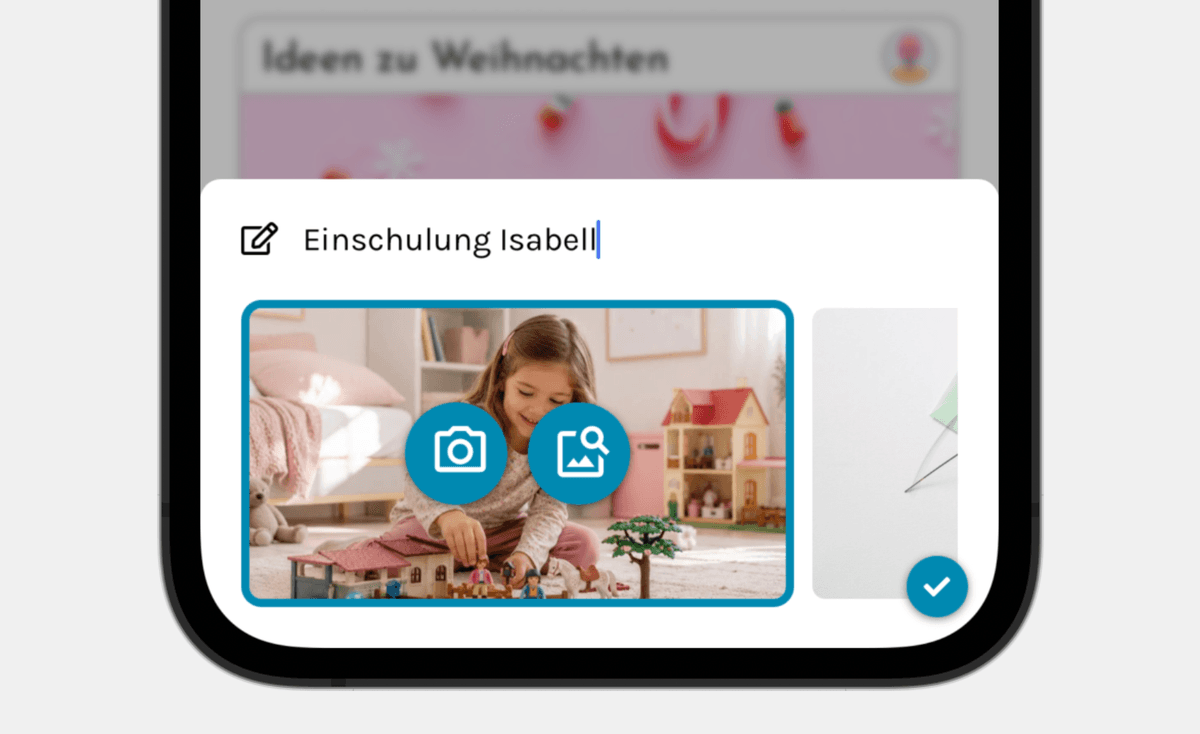
1
Create your list
Give your wish list a name. Create one for yourself and separate lists for your children or a particular occasion.
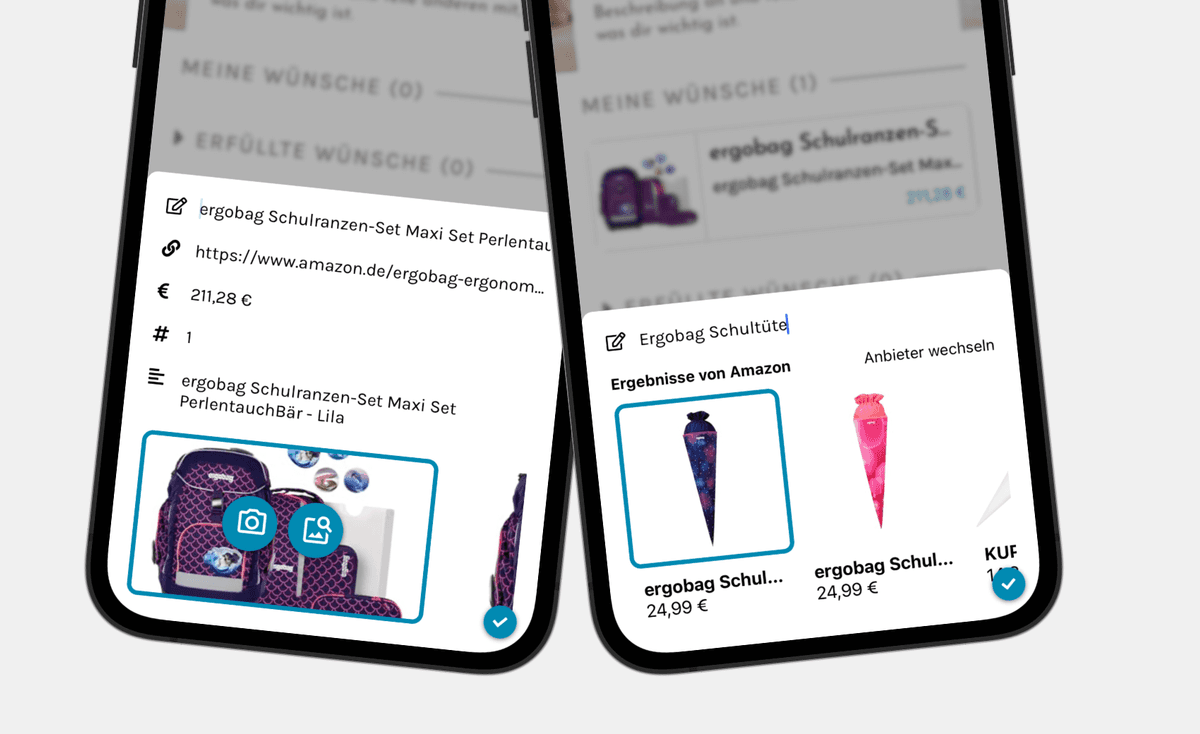
2
Add what you would love
Paste a shop link or describe your wish in your own words. For books, you can also enter the ISBN. bitte.kaufen adds the book details where available.
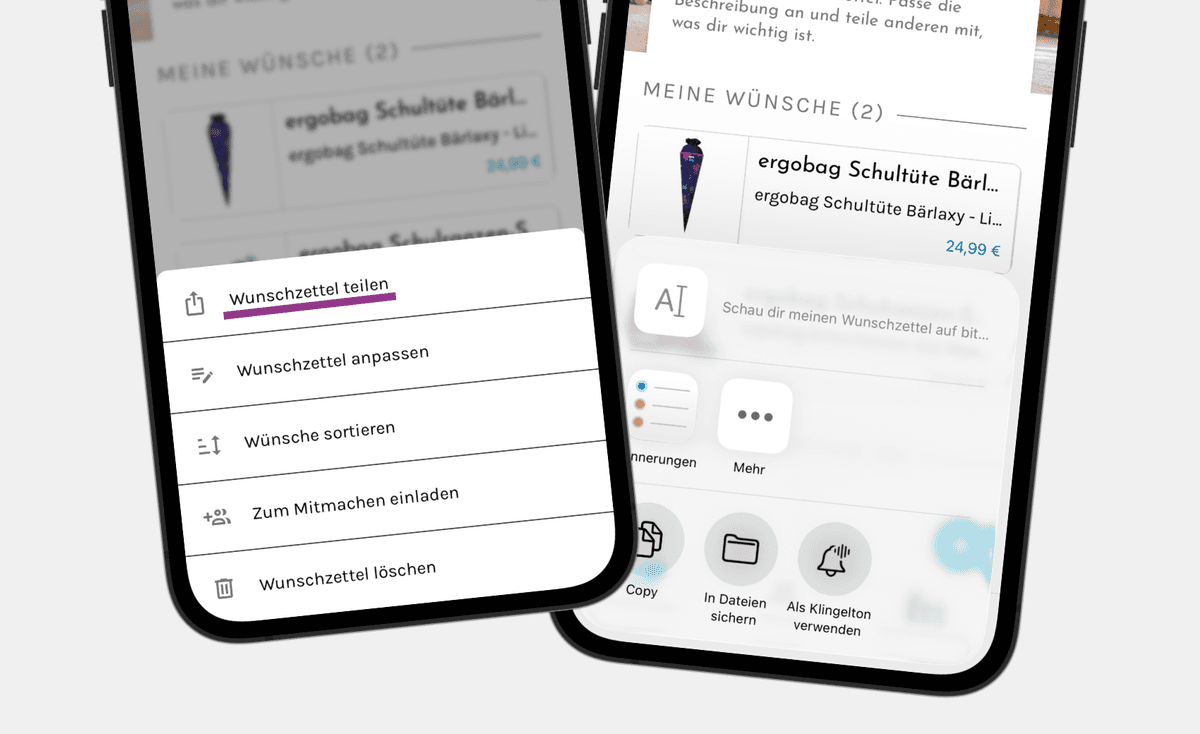
3
Share your wish list
Share your wish list via WhatsApp, text message or email. Your friends and family can mark wishes as bought so others know which gifts are already taken. They do not need an account.
Get the free wishlist app
You need a free account to use the app. No account is needed to view shared lists and reserve gifts.
Start on your phone and continue on your computer
Your wish lists in the app and in your browser


Already created wish lists in your browser? Sign in to the app with the same account. The lists saved to that account are available in the app too, without creating them again.
This also works when you switch between iPhone and Android. Your saved wish lists belong to your bitte.kaufen account, rather than to one particular phone.
Your family does not need to use the same devices as you. With the sharing link, they can view your wishes and mark them as bought in their browser, without installing the app.
Our tip: Add the size when you wish for clothes. If you want a particular edition of a book, include its ISBN or a link. That saves your loved ones from having to ask.
Wishes rarely wait until you are at your desk
How to use the wishlist app when you are out
You spot something in a shop, then your child tells you about a wish later on. Use the app to save both while they are still on your mind.
In a shop
Take a photo of your wish
Add a wish as text and attach your own photo. Later, you can see exactly which model or color you meant.
When you have a moment
Add the details
Open your saved wish and add any missing details. You can mark wishes that matter most to you as favorites in the app and move them to the top of your list.
When someone asks
Share the right list
Open your list or your child’s and send the link. There is no need to type every wish into a message.
When you want to give a gift
Check the Friends tab
Find the wish lists you have saved to your account. Open the one you need and check which wishes are still available.
Your wishes change. Your link stays the same.
A wishlist app for you and your family
Keep your wish list throughout the year. Add what you would love and remove anything you no longer want. Whether it is your birthday or Christmas, your loved ones can find your current wishes through the same link. Create additional lists whenever you need them.
💛
Your own wish list
- Add wishes throughout the year
- Mark the wishes that matter most as favourites
- Use the same link for your birthday and Christmas
🧸
Your children’s wishes
- Manage your children’s wish lists in your account
- Save new wishes when your child mentions them
- Add pictures to help grandparents find the right gift
👫
Together with your partner
- Invite your partner by email to help manage a list
- Add and edit wishes together
- Share the work of keeping track of your children’s wishes
💌
Share with family and friends
- Send your link via WhatsApp, text message or email
- Your loved ones can choose gifts without an account
- Let gift givers mark wishes as bought so others know
👋
Your friends’ wish lists
- Save the wish lists you receive to your account
- Find them again in the app’s Friends tab
- Check which wishes are still available before choosing a gift
🌱
Collect ideas just for yourself
- Save ideas in the app while you are out
- Add your own photos and wishes without a shop link
- Decide whether and when to share your list
What you can find in the app
Your wishlist app with friends’ lists and price-drop notifications
Save the wish lists your friends send you to your account. Open them again in the Friends tab without searching through old messages. The app also notifies you when prices have dropped for certain wishes.


A wish does not need a shop link
You can save your own photo and a description too. Your family can choose whether to buy the gift online or in a shop.
Before you download
Questions about the bitte.kaufen wishlist app
Use bitte.kaufen to save your wishes and share them with family and friends. Manage multiple lists and invite others to edit them with you. You can keep using your wish list throughout the year. The link stays the same.
Planning a Secret Santa?
You can also use your wish list for Secret Santa. Creating the group and drawing names currently happen in your browser.
Explore Secret Santa on bitte.kaufen

Choose the app for your device
Download the wishlist app for iPhone, iPad and Android
Download bitte.kaufen from the Apple App Store for your iPhone or iPad, or from Google Play for Android. Both downloads are free.
Multiple wish lists in one account
Share lists and manage them together
The same saved lists across your devices



From Sarah and Sascha
“We collect our children’s wishes as they come up. Sometimes they spot something when we are out, sometimes they mention it in conversation. With the app, we can save those ideas before we forget them.
It matters to me that Sascha can edit the lists just as I can. When the grandparents ask about a gift, we can send them the right list.”
Sarah Depold, co-founder of bitte.kaufen and mum of three